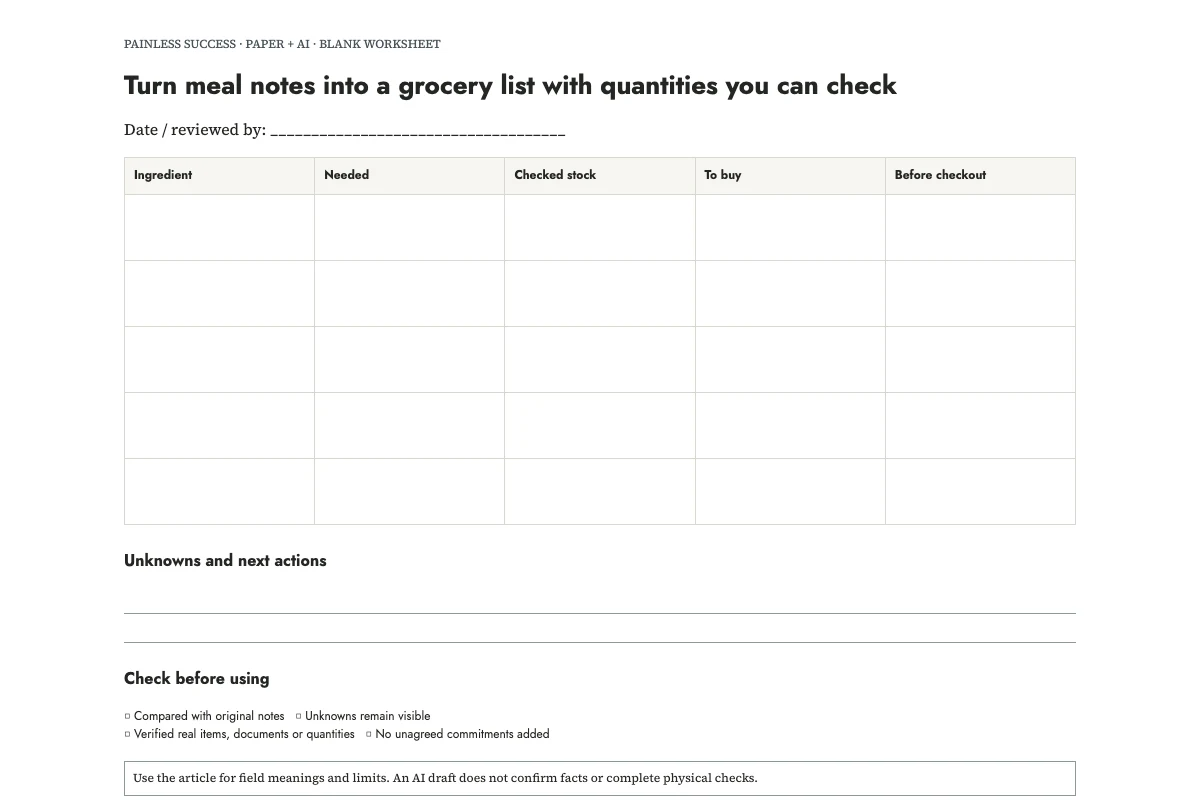
Make two passes through your meal notes: add up the ingredients, then subtract the stock you have checked. If AI helps with the sums, make sure it leaves unchecked stock unresolved. A note saying “rice not checked” gives you a cupboard check to do, not a quantity to buy.
Start with this invented arithmetic example. Two meal notes require 500 g and 250 g of dry pasta. Together they require 750 g. You have checked that 200 g is available, leaving 550 g to buy. The notes also require three cans of tomatoes, with one suitable can already available, so the list says two cans. Onions remain unknown until someone counts them. These are partial ingredient notes for practice, not complete recipes or dietary recommendations.
Print the quantity sheet, compare the filled example, and download the prompt.
Choose the meals before combining ingredients
Use recipes or familiar meal instructions you already intend to follow. Copy their quantities for the servings you actually plan to make. If the source recipe needs scaling, do that explicitly and check the result before treating it as an ingredient requirement. Do not let the assistant silently change the number of servings because a package size looks convenient.
Choose the meals first, using the meal-planning guide if helpful. Then use this worksheet to work out the shopping quantities from those choices. It leaves decisions about what the household should eat with you.
Label each meal's ingredients so you can trace the combined quantities back to their sources. A and B are enough for a short list. If a total looks surprising, those labels show which meals contributed to it.
Combine only matching ingredients and units
Add grams to grams when they describe the same ingredient in the same state. In the example, both pasta quantities are dry pasta, so 500 g plus 250 g gives 750 g. A cooked-pasta quantity would need separate treatment; the prompt should not invent a conversion.
Counts also need a useful definition. Two cans plus one can gives three cans only when you mean the required kind and size. The example explicitly says the recipe uses the same can size, but does not supply that size. The sheet therefore keeps a can-size check rather than guessing a weight.
Keep unlike units on separate lines until you can reliably compare them. One bunch and 100 g may describe the same ingredient, but you cannot add those quantities directly. I would leave the two lines visible and check them before calculating one total.
Check usable stock before subtracting it
Look at the stock you intend to use. Write the amount in the same units as the requirement where practical. Stock reserved for another planned meal should not be subtracted twice. If several people update the list, mark who checked it or when it was checked so another person knows what the number represents.
For this workflow, “usable” means that you have decided the item is appropriate for your intended use under its relevant storage and product guidance. The worksheet does not assess food safety. Do not ask an AI model to declare an item safe from a vague pantry note or a photograph.
Use three stock states: checked amount, checked none and unchecked. When you have checked and found none, the full required amount stays on the list. When stock is unchecked, look before finalizing the shopping quantity. Entering zero there would turn missing information into a purchase.
Give AI a calculation task with boundaries
OpenAI's prompting guidance recommends specific instructions and reviewing the response. Tell the assistant to preserve your units and mark missing information. Ask it to calculate from the partial notes without inventing the rest of a recipe.
Make a grocery reconciliation table from these invented practice notes. Use only supplied ingredients and quantities. Do not design recipes, suggest nutrition advice or substitutions, convert unlike units, infer package sizes or order anything. Columns: ingredient, source requirements, total needed, checked stock, amount to buy, unresolved checks. Show arithmetic. Mark unknown stock as unknown, never zero. Leave purchased boxes empty.
N1: Meal A supplied ingredient notes: dry pasta 500 g, tinned tomatoes 2 cans, onions 2. These are partial ingredient notes, not a complete recipe.
N2: Meal B supplied ingredient notes: dry pasta 250 g, tinned tomatoes 1 can, onions 1. Same can size as A, specified in the user's recipe but not supplied here.
N3: Meal C supplied ingredient note: rice 300 g. No other ingredients supplied.
N4: Checked usable stock: dry pasta 200 g and tinned tomatoes 1 can of the required size. Onion stock and rice stock unchecked.
N5: Do not assume these notes cover complete meals. Put recipe-completeness and can-size checks on a separate review list.
Return the table, then four human checks before shopping. Preserve grams and counts as supplied.
A checked answer contains 750 g needed, 200 g in stock and 550 g to buy for pasta. It contains three cans needed, one in stock and two to buy for tomatoes. It does not contain a numeric shopping quantity for onions or rice yet. It also flags that the supplied meal notes may omit other ingredients.
Separate the required quantity from the pack decision
The list's 550 g of pasta is a requirement, not a claim that a 550 g pack exists. At the shop, check available pack sizes and decide how much to purchase. Record any extra amount as remaining stock for a later plan if you want to reuse the sheet.
Do not round quantities silently. If you choose two packs, write their actual sizes and total. If an ingredient is unavailable, return to the meal decision or use a substitution you have independently checked. The model's formatting task does not establish that an unfamiliar replacement works in the recipe or suits everyone's needs.
Keep ordinary shared staples on a separate section unless they are part of the same counted requirements. The shared-staples list can hold those requests. Separating them makes it easier to see whether a duplicate entry is intentional.
Review the printed list before leaving
OpenAI's accuracy guidance notes that generated answers can be wrong. Recalculate the short sums yourself, confirm that the recipes are complete, and resolve the stock checks. The filled sheet is an editorial worked example, not a recorded AI run.
Before leaving, add any confirmed pack or ingredient constraints beside the relevant line. Tick purchases only after buying them. Record any meaningful difference between the planned and purchased quantities, then use the leftovers you actually have when preparing the next list. Last week's stock numbers may no longer apply.
Sources and scope
This is an original editorial organization method. The cited OpenAI pages support the narrow AI-writing guidance, not measured productivity benefits. Examples are invented. No legal, technical repair, nutrition or food-safety determination is made.
More practical tools
Unstick a task or compare two options. Fill in your own details, then print the result or download your notes.