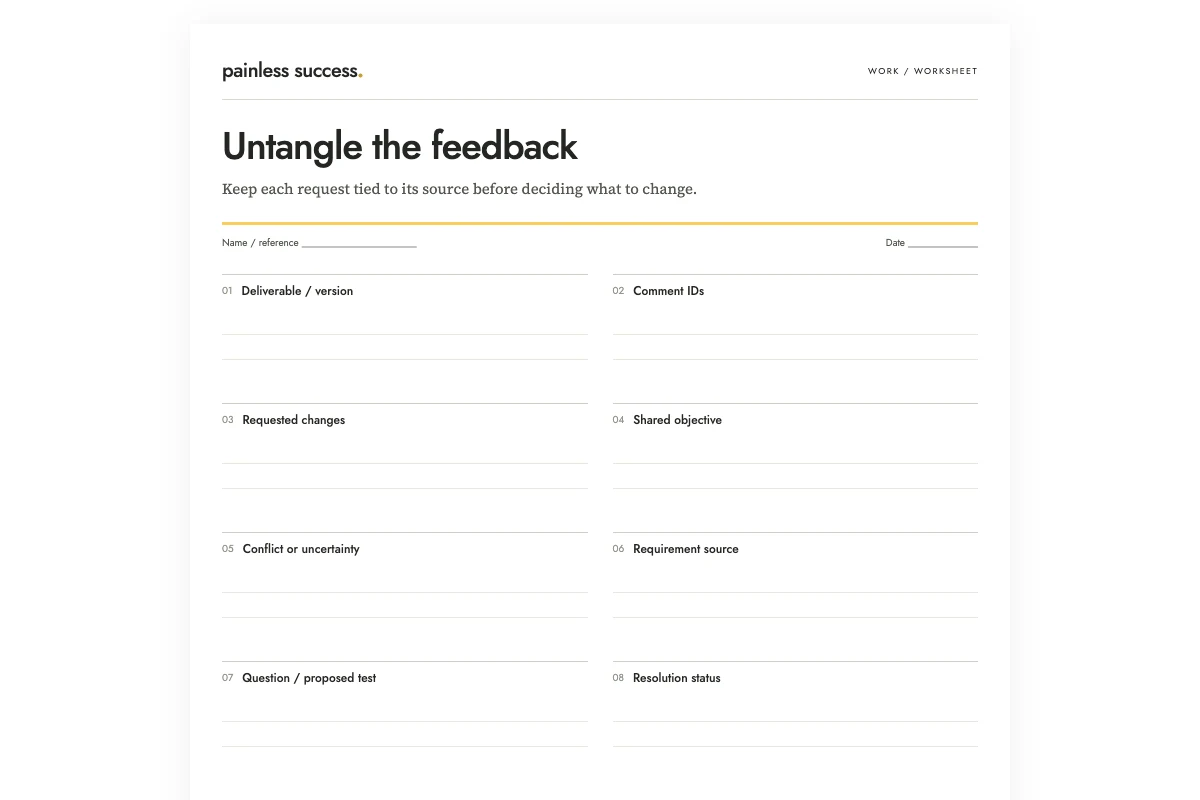
When reviewers disagree, start by identifying the change each person wants and the problem behind it. Record those comments and their sources in a review matrix, then write the question you need to resolve. Counting preferences or averaging suggestions will not answer that question.
Imagine a volunteer welcome sheet. Alex wants everything on one page because it is easy to carry. Bea wants a detailed map because new volunteers may struggle to find the desk. Those requests may compete for space, but both concern arrival. A useful row reads: one-page sheet versus detailed map; test whether a small locator plus a separate map keeps the printed instructions readable. This is a proposed test, not an approved design change. All names and circumstances in this article are invented practice material.
Collect comments against the same version
Write the deliverable name and version at the top of the worksheet. A criticism of an old draft can look like a contradiction when the newer draft already addresses it. Keep the comment's date or source location so you can ask the right follow-up question without reconstructing an entire conversation.
Give each comment a short ID. Preserve the original wording in your working record, then describe the requested change in the matrix. Do not silently improve a vague comment into a precise requirement. “Make it clearer” remains a request for clarification until you know what the reviewer could not understand.
If comments came through several channels, collect only the relevant passages. An exported conversation may include personal details and unrelated discussions. A small set of identified comments is usually sufficient for the sorting task and easier for you to check.
Distinguish a conflict from two compatible requests
Two suggestions are not in conflict just because they sound different. “Use shorter sentences” and “include the arrival time” can both be satisfied. “Keep every paragraph” and “reduce the page to half its current length” may require a choice, a changed scope, or a separate format.
You may need to test the suggestions before you know whether they conflict. In the example, nobody has checked whether a useful map fits. Write “fit untested” in the conflict-or-uncertainty field and leave the question open.
I would handle factual corrections separately from preferences. Check the contact number against the authoritative record, even if a reviewer confidently supplies a replacement. Mark it unverified until you have inspected that source. Comments about tone can then be considered on their own terms.
Name the requirement that matters
Bring the agreed purpose or acceptance requirement into the same row. The welcome sheet must provide readable arrival instructions. That requirement helps frame the map question, but it does not automatically establish one page as mandatory. Alex's preference and the project's requirement should occupy different fields.
When requirements conflict with each other, identify who can resolve that conflict. Do not ask AI to infer decision authority from a name, a role label, or the order of comments. If the person responsible is unknown, leave that as an open question.
Avoid adding a scoring system unless it helps the actual decision. A simple matrix often needs no numerical weights. Numbers can hide an unresolved disagreement about what matters instead of resolving it.
Let AI group the comments without deciding for you
The prompt below asks for organization, not a verdict. OpenAI's prompting guidance recommends clear instructions and review of the result. Here, retained comment IDs make that review practical.
Organize these fictional comments into a review matrix. Use only the supplied statements. Columns: comment IDs, requested change, shared objective if explicitly supported, conflict or uncertainty, relevant requirement, question or proposed test, resolution status. Keep all original comment IDs. Do not count comments as votes, assume authority from a job title, or choose a winner. Label your own test ideas as proposals. Do not edit the deliverable or contact anyone.
R1: The printed volunteer welcome sheet must provide readable arrival instructions.
F1: Alex asks for everything on one page so it is easy to carry.
F2: Bea asks for a detailed arrival map so first-time volunteers can find the desk.
F3: Chen says the contact phone number in v2 is outdated and supplies a replacement in a separate approved contact record. That record is not included here.
F4: Alex asks to keep the existing friendly introduction.
F5: Bea asks to shorten the introduction so arrival information appears sooner.
Return unresolved questions separately. Do not claim to have tested page fit or verified the replacement phone number.
Check that F4 and F5 remain visible. Keeping a friendly introduction and moving arrival details earlier may be compatible if the introduction is shortened. The model may propose that option, but it must label it as a proposal rather than writing that both reviewers agreed.
Resolve one row at a time
For each open row, choose a useful next move: ask a clarifying question, check a source, make a small comparison, or ask the appropriate decision-maker to choose. Avoid sending the entire matrix back to everyone when only one question needs answering.
For the map, prepare two small layouts with the same text and inspect them at the intended printed size. Record what you actually observe: text too small, route missing, or all required directions readable. Do not write “users prefer option B” unless you ran an appropriate test that supports that claim.
For the introduction, ask whether the concern is tone, length, or placement. A reply such as “keep the welcoming first sentence, then show arrival details” gives you a concrete revision. Capture the accepted wording or decision reference after it is agreed.
Keep the alternatives focused on the same question. Comparing a detailed map with a rewritten welcome message would mix two decisions, leaving you unsure which change the reviewer preferred. Hold the arrival text constant while testing map placement, then consider the introduction separately. Reviewers can assess each change without having to reconsider the whole sheet.
Close the loop without erasing rejected ideas
Mark each row resolved, deferred, or awaiting clarification, and include the reason or reference. “Not used” is more helpful when paired with an explanation: the detailed map moved to a separate sheet because the printed arrival instructions took priority. That explanation should reflect an actual choice, not a rationale invented after editing.
If several rounds are making the work expand, use the feedback-round limit guide. If you need better comments next time, ask for feedback on a defined part using the focused-feedback guide. When a suggestion is deliberately declined, the response guide can help you acknowledge it clearly.
Keep the matrix through the review of the revised deliverable. After that, retain the decisions and source references wherever they will be useful; you do not need a permanent record of every disagreement.
Printable materials
Blank worksheet · Filled fictional example · Complete AI prompt. Use portrait printing on A4 or US Letter, or save a PDF from your browser. The filled sheet demonstrates the fields; it does not document a completed real review.
More practical tools
Unstick a task or compare two options. Fill in your own details, then print the result or download your notes.