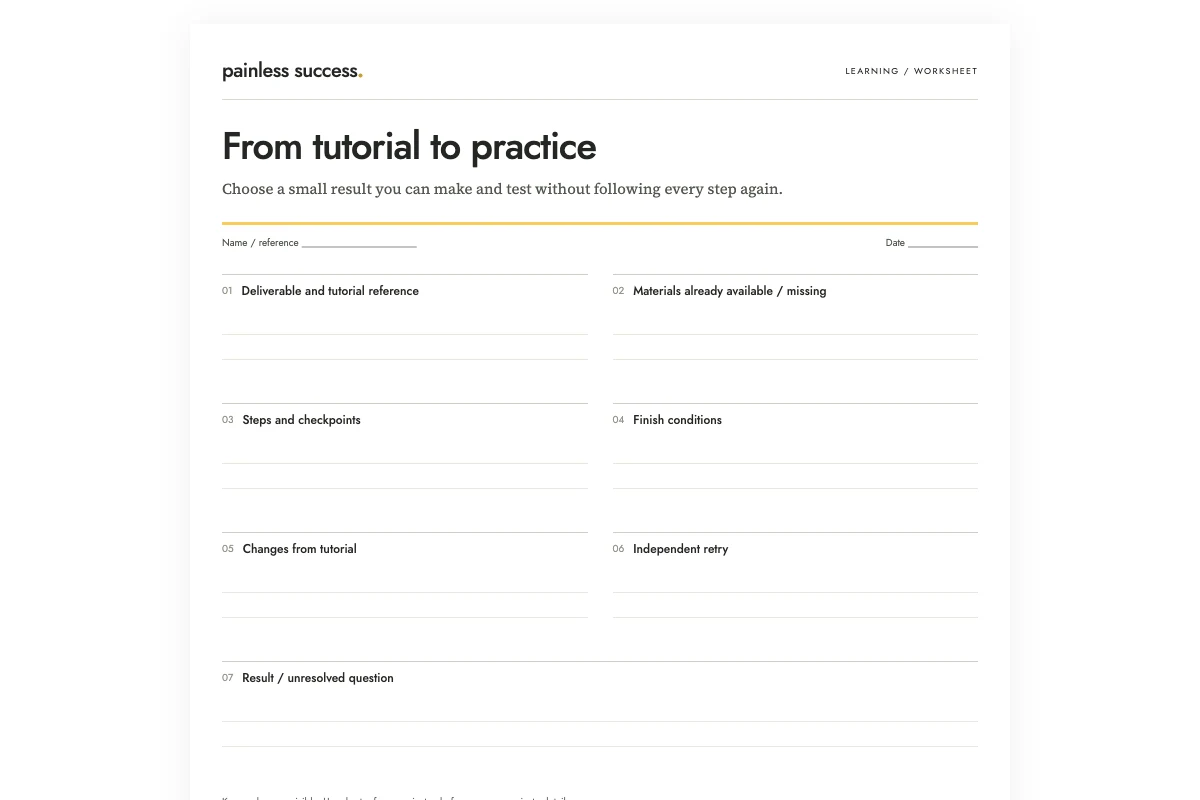
Blank printable · Filled example · Complete prompt
Before starting a tutorial project, write down what you will finish and the materials it needs. Add checks you can make as you work. Plan a separate independent retry so you can record both what you made with the demonstration and what you could do without it.
For this invented example, the deliverable is a four-panel accordion paper display with four readable headings. It uses scrap paper and a pencil. Rough folds are acceptable. The first attempt follows supplied instructions; the second happens with those instructions put away, if another sheet is available. Both attempts remain planned until you make the displays.
Define a deliverable smaller than the whole tutorial
Choose one visible output from the material: a short edited clip, a simple chart, a paper model or another modest artifact. Describe what it contains and what it does not need yet. A tutorial with ten techniques does not require you to use all ten in the first project.
For the paper example, decoration is outside the finish condition. The headings need to be readable in sequence, but the display does not need photographs, colored paper or a stand. Leaving those extras out makes it easier to see whether you completed the folding and labeling task.
If the tutorial assumes earlier knowledge, identify that before starting. You may need to review an introductory step rather than improvise around it. Keep the reference location beside the deliverable so you can return to the relevant segment without replaying everything.
Check the materials against the chosen output
List what you already have and what is missing. Distinguish required materials from optional alternatives shown by the instructor. A polished demonstration may include accessories that are unnecessary for the small version you intend to make.
The fictional display has no cutting step and calls for no scissors, adhesive or special cardstock. Keep the materials list tied to the instructions. If something required is missing, clarify how to proceed before choosing a substitute.
I would use an ordinary low-cost practice version when the tutorial allows it. That is a practical choice for this exercise, not a claim that cheaper materials always behave the same. For any real task involving equipment, safety or material limitations, follow the relevant instructions instead of treating AI's substitute as approval.
Place checkpoints where mistakes can still be corrected
A checkpoint describes something you can inspect before proceeding. In the example, check that the folds mark four panels before adding headings. Check the opening sequence before deciding where each heading belongs. These observations are more useful than a generic “check quality” box at the end.
Write each checkpoint beside its step. A separate page of checks is easy to overlook while following a demonstration. Keep the wording concrete: four panels present, headings readable, sequence understandable. Do not require perfect symmetry when the exercise explicitly accepts rough folds.
For a digital project, the equivalent might be opening a saved file, testing one button or checking that a chart uses the intended data range. Choose checks that belong to your actual tutorial and deliverable. The worksheet should not quietly add technical requirements the source never established.
For a project with up to six steps, make a printable step order from the instructions you have checked. Enter each action and the step numbers it depends on. The tool shows what can start first and flags missing or circular dependencies. Print the result as a checklist; keep the tutorial’s detailed instructions and safety guidance beside it.
Ask AI to structure the supplied instructions
Use the fictional prompt below to draft the sheet. For your own tutorial, supply a short permitted summary with source locations. Do not ask the model to reconstruct a tutorial it has not read and then treat the reconstruction as the original instructions.
Turn the supplied fictional tutorial notes into a small practice-project sheet. Return deliverable, materials, ordered steps with checkpoints, finish conditions, and an independent retry. Use only supplied instructions. Preserve unknown dimensions; do not invent a cutting step, purchases, tools or completed results. Keep the first project within one sheet of paper. Draft only.
T1: Make a four-panel accordion display from one sheet of scrap paper. Use a pencil. No dimensions are specified.
T2: Fold the sheet in half, open it, and fold each short end to the center crease. This marks four panels.
T3: Arrange folds alternately so the sheet opens as an accordion. Put one short invented heading on each panel.
T4: Check that all four headings are readable when the sheet is opened in order. Rough folds are acceptable for this exercise.
T5: After reviewing the first attempt, put the instructions away and attempt a second display using another sheet if available. Record where you need to look back. No attempt has happened yet.
Flag any ambiguity to resolve from the tutorial before acting.
Check that the generated plan preserves the material list and finish conditions. It should not introduce a cutting operation or a fixed paper size. If it notices ambiguity about fold orientation, that should appear as a question to resolve from the tutorial, not as a confident invented instruction.
OpenAI's accuracy guidance notes that generated output can be incorrect. Compare every action with the tutorial before using the plan. A clear sequence is helpful only if it still represents the procedure you intended to follow.
Make the first version and record departures
Follow the instructions with the worksheet beside you. Mark a step only after doing it. If you change a material, omit a feature or choose another method, write the change in a separate field. That record helps explain why the result differs from the demonstration.
Inspect the artifact before ticking a checkpoint; a tick added in advance records only your intention. If you cannot judge whether the condition is met, note the uncertainty and return to that part of the tutorial or ask for help.
When something goes wrong, keep a short note or local photo of the part you need to revisit. Record enough to guide the next attempt without documenting every step again.
Finish the first version before expanding it
Compare the result with the written finish conditions. The fictional display is complete when it has four readable headings that open in sequence. Crooked folds may be acceptable under the stated exercise. Decorative improvements can become another project if you still want them.
A finished practice artifact can contain limitations. Write those honestly: “all headings readable; third fold uneven.” That gives you a specific choice for later work. “Bad result” hides what succeeded, while “perfect” removes the opportunity to name a useful improvement.
If the required output is not complete, identify the smallest remaining step. Do not expand the project to avoid it. The purpose of a finish condition is to make the boundary visible when additional ideas begin to compete with the original task.
Keep the independent retry separate
Put the tutorial away and attempt a second small version when you have the materials and time. Record where you need to look back. Needing a reference is useful information, not a reason to pretend the attempt was independent.
Compare the two versions using the same basic finish conditions. You may discover that you can explain the sequence but still need to check a fold, or that the final label order needs attention. Choose one specific point for another attempt rather than restarting the entire tutorial collection.
Use learning from one worked example when choosing which demonstration deserves your attention. Use a personal project brief when the task grows beyond one practice artifact.
More practical tools
Unstick a task or compare two options. Fill in your own details, then print the result or download your notes.