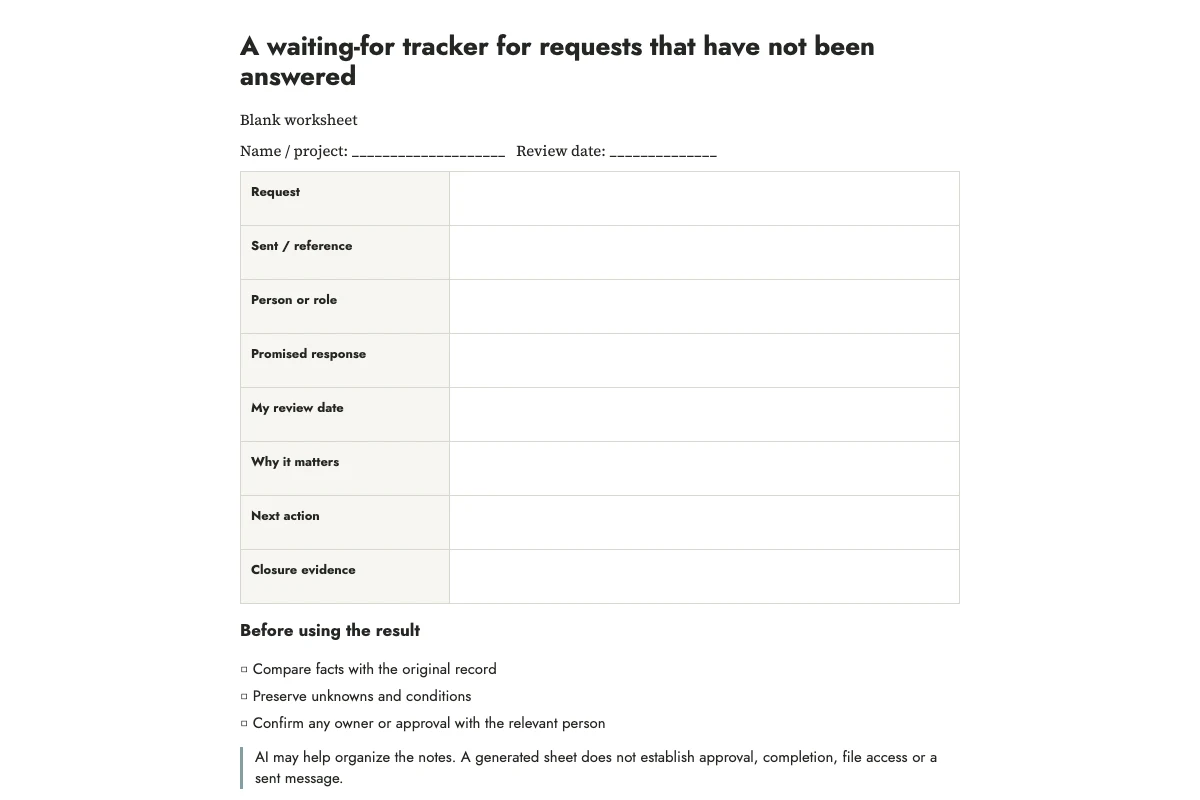
A waiting-for tracker lists requests you have sent that still need an answer or action from someone else. Record the request and where to find it, any promised response date, and your own next review date. You can then see when to check in while keeping the other person's commitments separate from your reminders.
In this invented example, you ask a room coordinator on Monday whether a space is available. They have not promised a reply date. You choose Thursday as your own review day. The row reads: room availability; response date unknown; review Thursday; event date depends on the answer. Thursday is a reminder to you, not a deadline you have assigned to the coordinator.
Put requests here only after you make them
A task you intend to delegate is still your task until you ask. A request you have sent belongs in the waiting-for list, even if it was informal. Record enough of the wording to remember the answer you need. “Room” is too vague; “confirm whether the room is available for the proposed session” describes the missing information.
Use a link to the message or document comment, or a reference to your notebook entry. On paper, the date and channel may be enough to find the exchange. Keep confidential details in the original record instead of copying them onto an exposed sheet.
Separate three dates
The sent date tells you when the request left your hands. A promised response date belongs to the person who actually agreed to it. Your review date tells you when to check the situation. These dates may coincide, but they answer different questions.
I would write “none agreed” in the promised-date field, or leave it blank, when there is no commitment. That keeps your reminder from being mistaken for someone else's deadline. If you need an answer by a particular date, include that timing in the request and ask whether it is feasible.
Choose a review date by looking at what depends on the answer. Check a request that affects an event decision before you need to make that decision; a nonessential suggestion may wait until your weekly review. These are planning suggestions. There is no response interval here that applies to every request.
Add the dependency and a possible next action
Write what cannot proceed without the answer. Sometimes nothing is blocked: you would simply like an opinion. That distinction helps you spend review time where it matters.
The next-action field should describe something you can do: check the original thread, clarify the question, choose an alternative, or close a request that is no longer needed. “Make them answer” is not an action available to you. Escalation depends on the relationship and the work process; a paper tracker does not create authority to bypass either.
If several steps depend on these replies, put them in the project steps tool. Add up to six actions, including receiving any required input, and identify the steps each action needs first. Leave unanswered inputs unfinished. The tool separates steps with no unfinished prerequisites from later stages; print the plan beside your waiting-for list. It does not assign reply dates or check anyone else’s progress.
Let AI organize a mixed list
The prompt below separates open requests from requests that received an answer. It also keeps your review dates distinct from promises. OpenAI's guidance on prompting supports giving a clear task and refining the result after inspection. The particular columns here are an original worksheet design.
Organize these invented requests into a waiting-for tracker. Columns: request, recipient role, sent reference, promised response date, my review date, dependency, next proposed action, closure evidence. Preserve the difference between someone else's promise and my own review date. Use unknown when a fact is missing. Do not infer lateness or send any messages.
R1: On Monday I asked the room coordinator whether the room is available. No response date was promised. I want to review this Thursday. An event date depends on the answer.
R2: On Tuesday I asked a colleague for the approved poster file. They said they would send it Friday. I will check Friday afternoon. The print proof depends on the file.
R3: I asked whether a volunteer can help. They replied that they cannot. No replacement has been requested.
Return a separate closed-items list. Explain any entry that cannot be classified from these notes.
The expected closed item is R3. A “no” answer may create a new task to find someone else, but it resolves the original question. R1 remains open without an agreed deadline. R2 has an explicit Friday commitment. These distinctions matter more than the wording of the generated table.
Review the tracker without sending unnecessary nudges
When the review date arrives, open the original thread before writing another message. You may find an answer or learn that the request is no longer needed. Update the row from what you find, then decide whether to follow up.
If a follow-up is needed, include the original question, a short explanation of why the answer matters, and any real decision point. For the room example: “I am checking whether the room is available so I can choose the event date. Is there anything else you need from me to confirm?” Add a response date only when it reflects the actual situation; avoid invented urgency.
You can use the follow-up guide for wording. If the dependency threatens your plan, use the dependency planning article to decide what can move forward separately.
Close requests by outcome, not by optimism
Useful closure evidence includes an answer received, a file received and checked, the request withdrawn, or the need removed. “Probably handled” is not closure. A file arriving may answer the request, but if you asked for an approved version and received an unlabeled draft, the question may remain open.
Cross out the closed row and write a short outcome, or move it to a completed section. Do not leave resolved items among active requests solely because the answer was disappointing. If a new request follows, give it a new row so its sent date and wording remain accurate.
Keep the list small enough to inspect
For a handful of open requests, one printed page is enough. When many people share the same work, use the established shared system and treat this sheet as a personal view. Two independent official trackers can drift apart.
At the end of a review, choose the next review dates and put only your own resulting actions into the workday plan. The unanswered request stays on the waiting-for sheet; the follow-up you decide to write becomes today's task.
Print and practice
Blank worksheet · Filled practice example · Complete prompt. Print in portrait on A4 or US Letter, or use your browser's Save as PDF option. The example is fictional; leave confirmation and review fields blank until you perform those checks.
More practical tools
Unstick a task or compare two options. Fill in your own details, then print the result or download your notes.