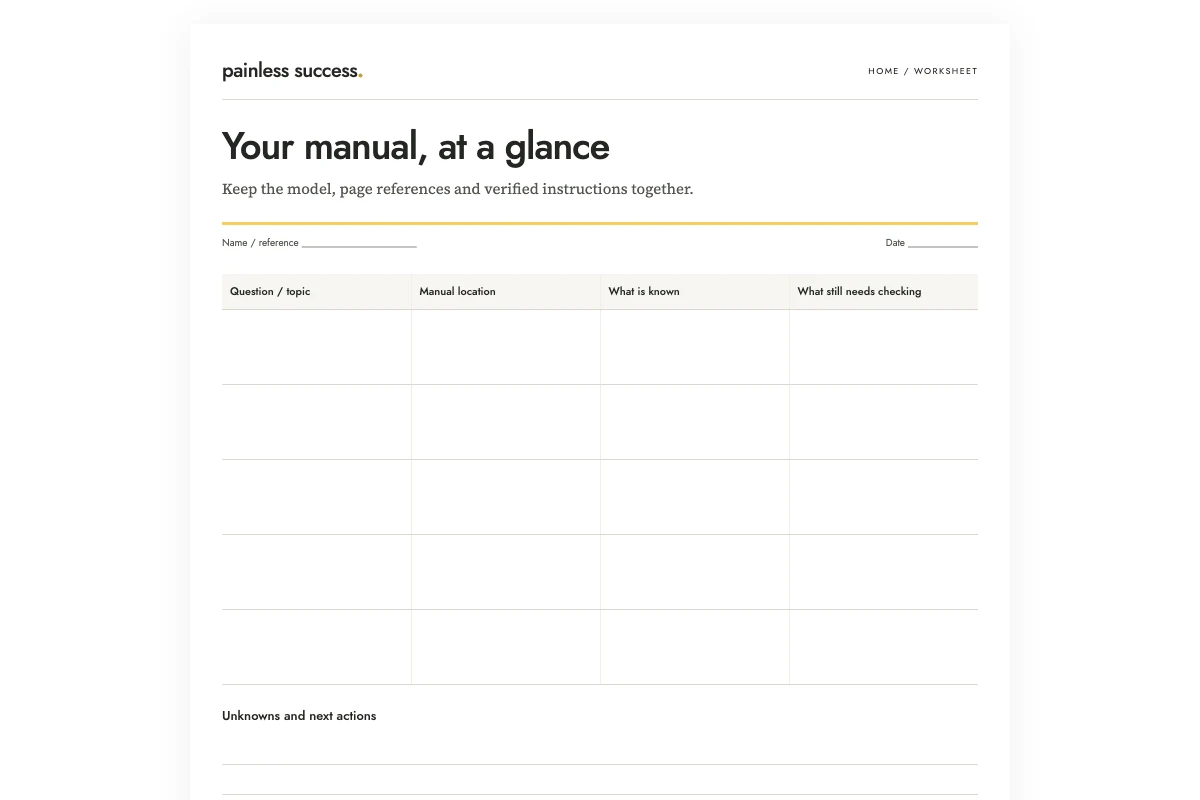
Use a reference card to find the section of an appliance manual you need. Put the exact document identity at the top, then list your recurring questions with their section references. Read those sections in the original manual before acting; the card cannot replace the operating instructions.
The fictional example in this article uses a guide called Model Q, revision 02. Its contents page lists setup on printed page 8, routine care on page 19, and questions and troubleshooting on page 25. We have no actual instructions, warnings or appliance type. A useful card preserves those page references and says that the product match remains unchecked. It cannot tell you how to set up, clean or repair anything.
Print a blank reference card, open the fictional example, and copy the extraction prompt. This is a filing and navigation exercise. The sample is deliberately unsuitable for operating a real appliance.
Confirm the document before shortening it
Find the manual supplied with the product or the relevant document through the manufacturer's official support route. Compare the identifying details with the actual product. If the manual covers several variants, note which applies rather than assuming all pictured controls match yours.
Record the model and document revision exactly as shown. Until you can establish that you have the appropriate manual, mark the card unverified and do not use it to guide an action. A readable layout cannot settle that document check.
Keep the full document available in its original form. A local filename, paper storage location or verified official link can be the card's main destination. Avoid naming a file “instructions-final” when the name hides the model and revision you need to distinguish it from another version.
Choose questions that lead back to the source
Choose a few questions about where to look: the setup section, routine care or troubleshooting. Answer each with its location in the manual. You can then find the procedure without compressing it into a few lines on the card.
I would start with topics you repeatedly look up and references to the relevant before-use and safety material. Leave room for the entries to be readable. Trying to cover every situation can make the card harder to use than the original contents page.
If a question spans several sections, list all relevant locations that you have verified. Do not select one short paragraph just because it fits a box. An instruction may depend on conditions explained elsewhere; a navigation card should make it easy to return to that context.
Distinguish printed page numbers from viewer pages
A PDF viewer's page count and the page number printed on the document may differ. Check what the document actually shows instead of assuming one numbering system. You can record both when that helps: printed page, viewer page and section heading.
In the fictional example, only printed pages are supplied. The viewer-page field stays unchecked. Do not calculate an offset without opening the actual document and confirming it. A cover, contents section or unnumbered page can make a guessed shortcut unreliable.
Test one reference before filling the entire card: open the page and find the expected heading. For a paper manual, locate the section in the booklet. Copy the reference onto the household card only after checking that it leads to the right place.
Let AI extract labels, not supply missing procedures
Write the card directly from the contents page, or ask AI to put several short excerpts into consistent fields. Limit the request to extracting document identifiers and locations. OpenAI's prompting guidance recommends a clearly defined task and review of the answer.
Build a manual-navigation card from the following fictional excerpts. Extract only model/revision identifiers and stated section/page references. Do not write operating steps, maintenance schedules, cleaning methods, electrical advice, safety summaries or diagnoses. A heading is not an instruction. Do not infer anything from similar appliances. Draft only; no device control or web lookup.
E1: Fictional guide cover: Model Q, revision 02. No real manufacturer or appliance type is represented.
E2: Fictional contents: Before use, printed page 4; Setup, printed page 8; Routine care, printed page 19; Questions and troubleshooting, printed page 25.
E3: PDF viewer page numbers have not been checked. The actual section text and warnings are not supplied.
E4: The product's physical label has not been matched to this guide. No operational action has been authorized.
Return: document identity; topic-to-printed-page table; unresolved checks; a clear statement that the original guide must be read and the card contains no operating instructions. Cite E IDs. Leave unknowns unknown. Do not invent a manufacturer URL.
A correct answer can produce the page table and an unresolved checklist. It cannot add a cleaning interval, recommend a product or explain a control. None of those facts appears in the excerpts. Even if the assistant recognizes a similar model name, the fictional guide supplies no basis for importing outside instructions.
Audit every field against the excerpt
Read the title, revision and page numbers character by character. Look for added information as well as transcription errors: changing “routine care” to “monthly maintenance” introduces a schedule the excerpt never supplied.
Then verify the reference against the full manual. Extraction from an excerpt is only the first check. You still need to confirm that the correct document is in use and that the page points where the card says it does. Keep the original wording for headings when a paraphrase could make the destination harder to find.
OpenAI's accuracy guidance explains that generated responses can be inaccurate. For this task, completeness claims are particularly important: “all essential instructions included” is not warranted by a few excerpts. The card should openly say that it contains references, not a complete operating guide.
Place and maintain the card deliberately
Keep the card somewhere you can retrieve it easily, such as with the household records. It does not need to be attached to the appliance. Wherever you put it, leave product labels, warnings, controls and ventilation unobstructed.
Write the date you checked the source. If the product or manual changes, review the card rather than carrying old references forward automatically. If a link stops working, restore access through the appropriate official source and check that the replacement is still the correct document.
For unresolved wording, use the clarification guide to frame a specific question for an appropriate support contact. If a tool-enabled assistant is involved, use the bounded task brief to distinguish extracting references from operating anything. Finish by checking that the card points to the right manual and labels its remaining gaps clearly, so they cannot be read as instructions.
Sources and scope
The workflow and practice records were created for this article. OpenAI references support only the stated prompting and accuracy points. They do not establish measured benefits or validate the worksheet. Apply actual recipient, seller or manufacturer instructions where relevant; fictional examples establish none of those requirements.
More practical tools
Unstick a task or compare two options. Fill in your own details, then print the result or download your notes.