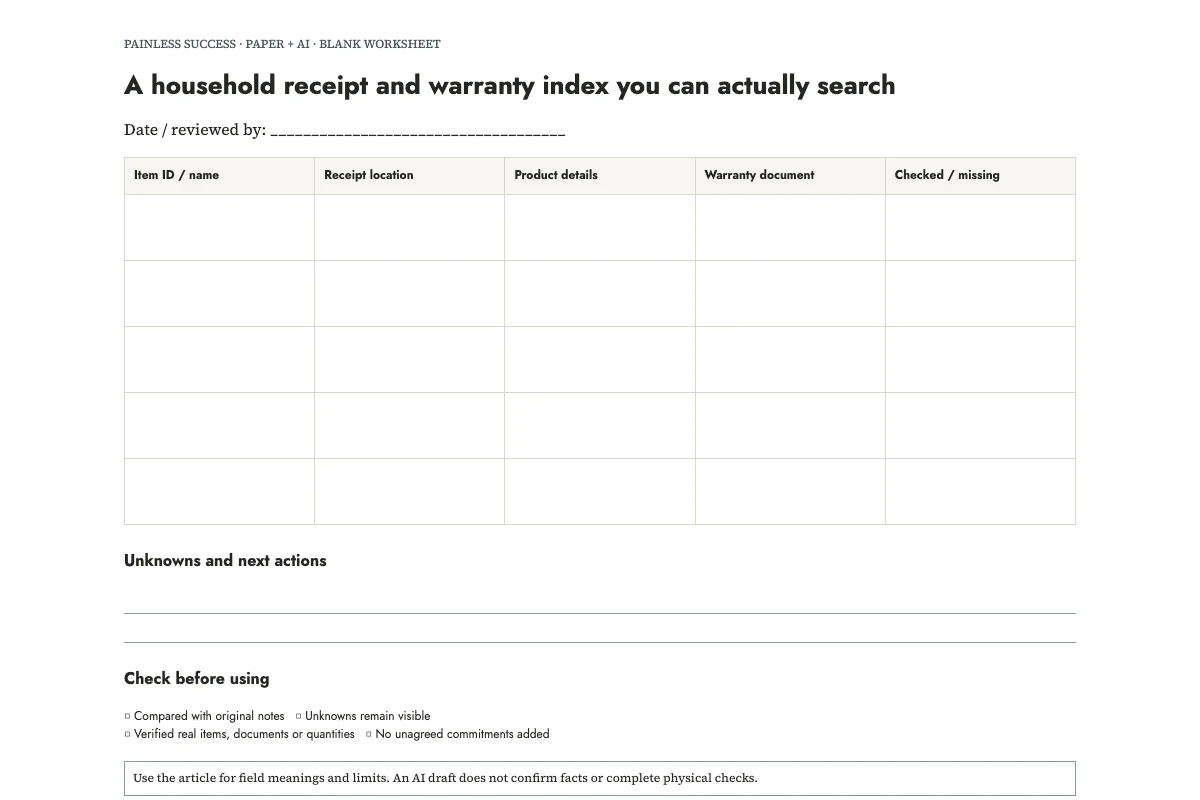
Start your index with a document you want to find, such as the receipt for a lamp. Give the lamp the identifier H01, put H01 on its paper folder, and record the location of its saved receipt beside the identifier. You can then find the paperwork without remembering which month you bought it.
Here is an invented filled example. H01 is a desk lamp: its readable receipt is at Purchases/H01/receipt.pdf, its warranty leaflet is in paper folder H01, and its serial number has not been recorded. H02 is an office chair: the receipt is still in email, the invoice calls it CH-04, and the product label is unchecked. Neither row says that a repair would be covered. The sheet records documents and gaps, not an entitlement decision.
Print the blank index, open the filled example, or copy the complete prompt.
Begin with items you would struggle to identify
Choose three objects for the first page. I would pick an item with several similar models, another whose receipt is buried in email, and something the household shares. Each gives you a reason to test the index. Leave objects that need no supporting paperwork for later.
Write the everyday name first: desk lamp, blue suitcase, office chair. Add a short identifier that stays the same when you move its documents. An identifier is useful because the item's nickname may change. Avoid putting a full serial number into a widely shared list; you can record that it is available in a private folder instead.
Look at the actual object before confirming a model. A purchase description may cover a range, and an accessory can have its own label. If the label is hard to reach safely, mark it unchecked. There is no need to dismantle anything to finish a filing exercise.
Separate the three kinds of information
Keep separate locations for the receipt, product label and warranty document, even if you store them in the same folder. Each answers a different question about the purchase, the object or the terms offered. A single link called “lamp paperwork” can hide which of those records you still lack.
Use exact locations that another authorized household member could follow. “Computer” is too broad. “Purchases/H01/receipt.pdf” is more useful, provided that file really exists. For paper, a folder name and drawer are enough. For an email that has not been saved, write “email receipt; not yet filed” rather than inventing a future filename and presenting it as current.
Do not discard originals simply because you made an index. This method does not determine retention requirements, legal rights or whether a copy is sufficient for a particular claim. Those questions belong with the applicable terms and relevant official guidance. The index merely makes the records easier to locate when you need to investigate them.
Ask AI to arrange a small, redacted batch
You can create this sheet entirely by hand. AI becomes useful when you already have several uneven notes and want the same columns for every item. Paste abbreviated notes rather than uploading an entire receipt archive. Remove payment details, addresses and unrelated purchases that the organizing task does not need.
OpenAI's prompting guidance recommends specific instructions and reviewing the response. The prompt below names the fields and explicitly preserves missing information. It does not authorize account access or file changes.
Create an item-to-document index from these invented practice notes. Use only supplied information. Columns: item ID/name, receipt location, product details, warranty document location, checked facts, missing information. Preserve unknowns. A document's presence does not establish coverage. Do not calculate rights, dates or eligibility; do not infer terms. Draft text only; do not access accounts, move files or contact sellers.
N1: H01 is a desk lamp. Receipt saved as Purchases/H01/receipt.pdf; the owner opened it and confirmed that it is readable.
N2: H01 model was copied from its label. No model value or serial is supplied here. Paper warranty document is in folder H01; terms have not been read.
N3: H02 is an office chair. An email receipt exists but has not been saved. Invoice model is CH-04; physical label has not been checked.
N4: No H02 warranty document has been found. This is not evidence that no warranty or other rights exist.
Return a compact table with note IDs and three human verification actions. Never replace missing values with guesses.
Test retrieval before marking a row checked
Read the output beside the notes, paying attention to what has been checked. N1 supports “receipt readable” for the lamp; nothing supports “Warranty active.” The chair model CH-04 comes from an invoice. If the output says “model verified on product,” correct it: the label remains unchecked.
Try retrieving the documents. Open one named file and find one paper leaflet, checking that each belongs to the intended object. Date the check on the printed sheet and fix any broken location before adding more rows. Keep the first three entries small enough to test this way.
OpenAI's accuracy guidance notes that generated answers can be wrong despite confident wording. Check that every location in the formatted index leads to the intended document. The filled example was prepared for this article; no assistant opened its fictional files.
Keep missing documents visible
Beside an incomplete row, write the action needed: save the email receipt, check the product label, find the leaflet or ask the seller where to read the applicable terms. Missing paperwork does not establish whether a purchase has protection. Use a “covered/not covered” column only for a separately verified decision, with its basis recorded.
If two similar objects share one invoice, point both rows to that invoice and add a distinguishing note. Do not duplicate the invoice under conflicting names just to make the table symmetrical. If an item leaves the household, mark the row transferred or removed and review what records should remain under your circumstances.
For the underlying filing habit, use the receipt question. For naming the saved files, use personal document filenames. Finish this session by finding one record from the printed index without using your memory of where you put it.
Sources and scope
This is an original editorial organization method. The cited OpenAI pages support the narrow AI-writing guidance, not measured productivity benefits. Examples are invented. No legal, technical repair, nutrition or food-safety determination is made.
More practical tools
Unstick a task or compare two options. Fill in your own details, then print the result or download your notes.