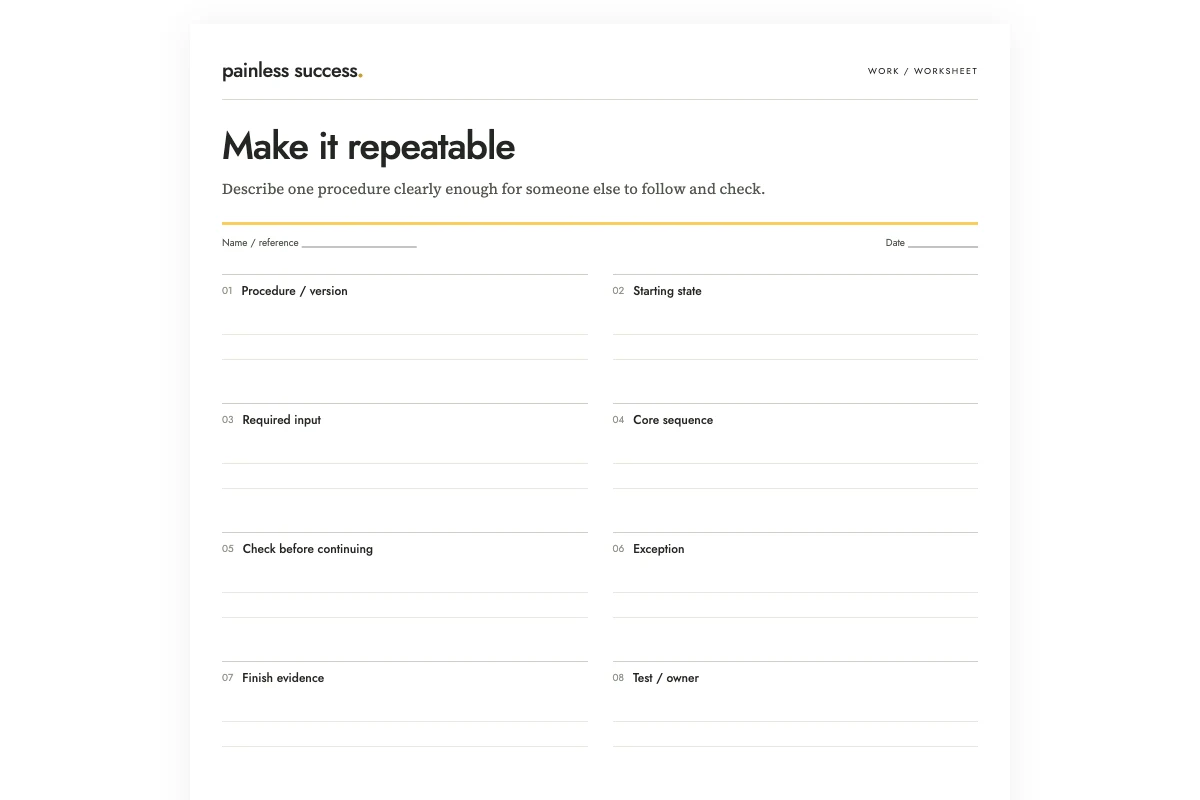
To write a repeatable procedure, start with what the person needs before they begin and the result they should have at the end. Then describe the steps in order, including the checks along the way and what to do if something is missing.
In this invented example, a volunteer prepares a monthly noticeboard pack. The starting inputs are an approved event list and an editable template. The procedure ends with a checked proof in a review folder; it does not include printing. One exception is explicit: if an event location is missing, stop that item and ask the coordinator. Do not reuse last month's location. That exception is part of the process, not an inconvenient detail to remove from a tidy draft.
Choose a small process with a visible result
Start with a routine that has clear boundaries: prepare a review pack, label a set of files, or assemble materials for a recurring meeting. “Run the project” is too broad for a short procedure. Break it into smaller processes that can each be tested.
Write the starting state and finish evidence before the steps. For the noticeboard pack, the input must already be approved. The output is a proof ready for review. If you omit those boundaries, someone may assume the procedure authorizes collecting unconfirmed event details or printing the finished pack.
This worksheet is intended for ordinary administrative work. A procedure for specialist, regulated, or hazardous activity needs the appropriate expertise and formal process. A general writing template should not be treated as a substitute for those requirements.
Collect the messy notes without correcting their gaps
Gather notes from the people who do the work and identify the current source materials. Ask about missing inputs, conflicting versions and steps that need another person's decision. Include those situations in the draft so you can test how the instructions handle them.
Check which practices have actually been agreed. If someone says, “We sometimes use last month's file,” ask whether that reuse is acceptable and which source the procedure should follow. A description of current habits may reveal a question you need to resolve before writing the instruction.
I would number the source notes while drafting. If a step later looks questionable, you can trace it to the note or identify it as an editorial suggestion. Do not add imaginary details such as a folder path, tool command, or approval role simply because a procedure looks unfinished without them.
Write actions and checks in pairs
A useful step starts with a concrete action: copy the template, enter the event details, compare the dates, export the proof. Follow a meaningful stage with a check that can reveal an error before the next stage makes it harder to fix.
For the noticeboard pack, compare the entered content with the event list before export. Then inspect the exported proof to confirm that the output for review also matches. Checking the editable file alone leaves that output unchecked.
Avoid a checkbox after every trivial movement. Too many marks can make the important checks hard to see. Group routine actions where their order is obvious, but separate any step where a wrong result should stop the process.
Give exceptions a place in the instructions
Write what the person should do when a required input is absent or inconsistent. In the example, a missing location pauses that event. The procedure should identify the question to ask and where to record the answer once received.
Do not write “resolve any issues” as the entire exception rule. It hides the very decision the reader may be unable to make. If the response requires authority the operator does not have, say where the decision belongs. When that owner is unknown, mark it as a drafting question.
Consider whether the rest of the work can continue safely and sensibly while one item waits. For the noticeboard pack, other complete events may be prepared, but the incomplete item must remain visibly unresolved. Do not let a partial pack look like the final complete result.
Ask AI for structure, then inspect every added detail
OpenAI's prompting guidance recommends specific instructions and iterative review. A bounded prompt can organize rough notes into a draft, but you still need to check the sequence and exceptions against the real process.
Convert these invented process notes into a draft procedure for a human to test. Return purpose, starting conditions, required inputs, numbered steps, check after each meaningful stage, exceptions, and finish evidence. Distinguish supplied facts from suggested clarifications. Keep missing locations unresolved. Do not execute steps, access files, assign an owner, invent approval, or describe the draft as tested.
P1: Each month we prepare a noticeboard pack from the approved event list.
P2: Copy the editable notice template before adding events. Keep the original template unchanged.
P3: Enter event title, date, start time, and location exactly as the approved event list records them.
P4: If a location is missing, stop that item and ask the coordinator. Do not guess from last month's pack.
P5: Compare the completed content with the approved list, then export one proof PDF.
P6: Check the exported proof against the list too. Put the checked proof in the designated review folder. The folder path is not supplied.
P7: Printing is a separate approved process and is outside this procedure.
End with questions that must be answered before a real dry run.
A good response will ask for the review-folder location and the relevant approval arrangements. It will not invent a folder such as “Shared/Approved” or claim that the procedure has been tested. Suggested clarifications should appear outside the confirmed steps until someone answers them.
Run a dry test with representative material
Use a suitable practice copy or a small real case that you are authorized to handle. Follow the written steps as they stand. Note where you have to rely on memory, ask an unstated question, or improvise a missing instruction. Those moments reveal gaps in the document.
If someone else will use the procedure, ask them to try it through the normal review process. Notice where they hesitate before explaining the step yourself, and record the wording that confused them. Revise it afterward. One person's completed test still cannot tell you that everyone will find the procedure easy.
Include at least one ordinary exception in the test, such as a missing location. Check whether the instructions lead the reader to leave it unresolved and ask the coordinator. A test in which all inputs are complete cannot show how the procedure handles missing information.
After checking the procedure, you can make practice cards for its key checks and exceptions. For this noticeboard example, ask “What do I do if a location is missing?” and use the confirmed instruction as the answer. Try the cards on screen, then print them with fold-under answers or blank spaces. Keep the full procedure available: remembering a card does not replace following or testing the instructions.
Maintain the procedure where people can find it
Add a version, owner when agreed, and review trigger. A change to the input format, destination folder, or approval process may require an update. Remove or clearly retire old copies so the same task is not governed by conflicting instructions.
Keep a checked example beside the procedure when it helps readers recognize the expected output; the finished-example folder guide offers a simple way to organize those references. Use the clarification guide for unresolved wording. If a later step is delegated to an AI agent, prepare a separate agent task brief rather than treating a human procedure as automatic permission to execute it.
Printable materials
Blank worksheet · Filled fictional example · Complete AI prompt. Use portrait printing on A4 or US Letter, or save a PDF from your browser. The filled sheet demonstrates the fields; it does not document a completed real review.
More practical tools
Unstick a task or compare two options. Fill in your own details, then print the result or download your notes.